Mark your calendar: June 15, 2026 is the deadline for your Q2 estimated tax payment. If you’re a freelancer, independent contractor, or self-employed professional, this date can’t be ignored. Missing it means penalties, interest, and a bigger headache come tax season. This Q2 estimated taxes checklist will walk you through everything you need to know to stay compliant and avoid overpaying.
What Are Estimated Taxes and Who Must Pay?
Unlike traditional employees who have taxes withheld from every paycheck, self-employed individuals and freelancers receive income without any tax taken out. The IRS expects you to pay taxes throughout the year through estimated tax payments—quarterly installments that cover your income tax, self-employment tax, and any other applicable taxes.
You must pay estimated taxes if:
- You expect to owe at least $1,000 in taxes when you file your return
- Your withholding and refundable credits will cover less than 90% of your tax liability for the current year
- You’re a sole proprietor, partner in a partnership, S corporation shareholder, or self-employed contractor
According to the IRS Estimated Tax Guidelines, failing to make these payments can result in penalties even if you’re due a refund when you file.
The Safe Harbor Rule: Your Penalty Protection
Worried about underpaying and getting hit with penalties? The IRS offers a “safe harbor” provision that protects you from penalties if you meet certain thresholds:
Safe Harbor Options:
- 100% of last year’s tax liability — If your adjusted gross income (AGI) was under $150,000 ($75,000 if married filing separately)
- 110% of last year’s tax liability — If your AGI was $150,000 or more ($75,000 if married filing separately)
This means if your 2025 total tax was $20,000 and your AGI was under $150,000, you need to pay at least $20,000 in estimated taxes throughout 2026 to avoid penalties. If your income varies significantly year to year, aim for the higher threshold to stay safe.
How to Calculate Your Q2 Payment: Step-by-Step
Your Q2 payment covers income earned from April 1 through May 31. Here’s how to calculate it:
- Estimate your 2026 total income — Add up all expected self-employment income, freelance earnings, and any other taxable income.
- Calculate your taxable income — Subtract your expected deductions (business expenses, standard/itemized deductions, etc.).
- Apply tax rates — Calculate income tax using 2026 tax brackets, plus 15.3% self-employment tax (Social Security and Medicare).
- Divide by 4 — If using the equal installment method, divide your total estimated tax by four quarters.
- Adjust for quarterly income — If your income fluctuates, use the Annualized Income Installment Method (Form 2210) to calculate a more accurate payment based on actual quarterly earnings.
Pro tip: The IRS Direct Pay system makes it easy to pay directly from your bank account. You can also use EFTPS (Electronic Federal Tax Payment System) or pay by credit card (fees apply).
5 Common Deductions Freelancers Miss
Every dollar you deduct reduces your taxable income. Here are deductions many freelancers overlook:
- Home office deduction — Calculate using the simplified method ($5 per square foot, up to 300 sq ft) or actual expenses method.
- Professional development — Courses, certifications, books, and subscriptions related to your work.
- Software and subscriptions — Productivity tools, design software, cloud storage, and other business apps.
- Health insurance premiums — Self-employed individuals can deduct health, dental, and long-term care insurance premiums.
- Retirement contributions — SEP-IRA, SIMPLE IRA, or Solo 401(k) contributions reduce your taxable income.
To claim these deductions, you need documentation. That’s where proper receipt management becomes critical.
Quick Receipt Organization Workflow
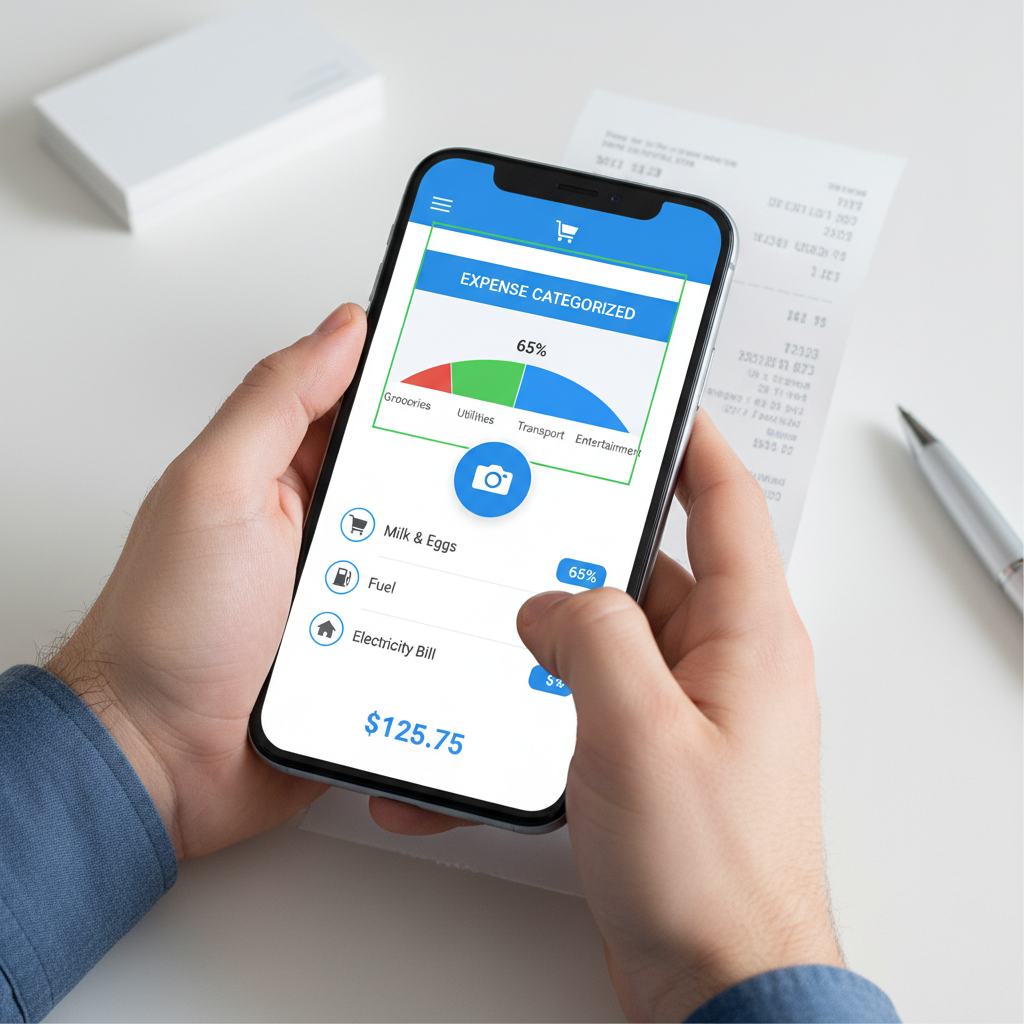
Manual receipt tracking is tedious and error-prone. Here’s a streamlined workflow using BudgetX, the AI-powered receipt scanner:
- Scan immediately — When you get a business receipt, snap a photo with BudgetX. AI automatically extracts vendor, date, amount, and category.
- Auto-categorize — BudgetX learns your spending patterns and suggests categories like “Office Supplies,” “Travel,” or “Professional Services.”
- Export for tax prep — Generate expense reports by category, date range, or vendor. Export to CSV for your accountant or tax software.
- Search instantly — Need that software subscription receipt from March? Search by vendor or keyword in seconds.
This system ensures you never miss a deductible expense and have audit-proof documentation ready when you need it.
Q2 Estimated Taxes Checklist
Use this checklist to stay on track:
- ☐ Calculate Q2 income (April 1 – May 31)
- ☐ Subtract business expenses (verify with receipt documentation)
- ☐ Apply safe harbor rule or quarterly income method
- ☐ Submit payment via IRS Direct Pay or EFTPS
- ☐ Save payment confirmation for records
- ☐ Update your income tracking for Q3
Final Reminder
The June 15, 2026 deadline is 40 days away. Don’t wait until the last minute. Calculate your payment now, gather your documentation, and submit on time to avoid penalties and interest.
Need to get your receipts organized fast? Download BudgetX free and start scanning today. Every receipt captured is money saved at tax time.