It’s Sunday, May 17, 2026 — and if you’re a freelancer, there’s a date circled in red on your mental calendar: June 15. That’s your Q2 estimated tax deadline, and it’s exactly 29 days away. The good news? You have an entire Sunday ahead of you, and a focused weekend sprint right now can save you from a stressful scramble in four weeks — or worse, an IRS penalty.
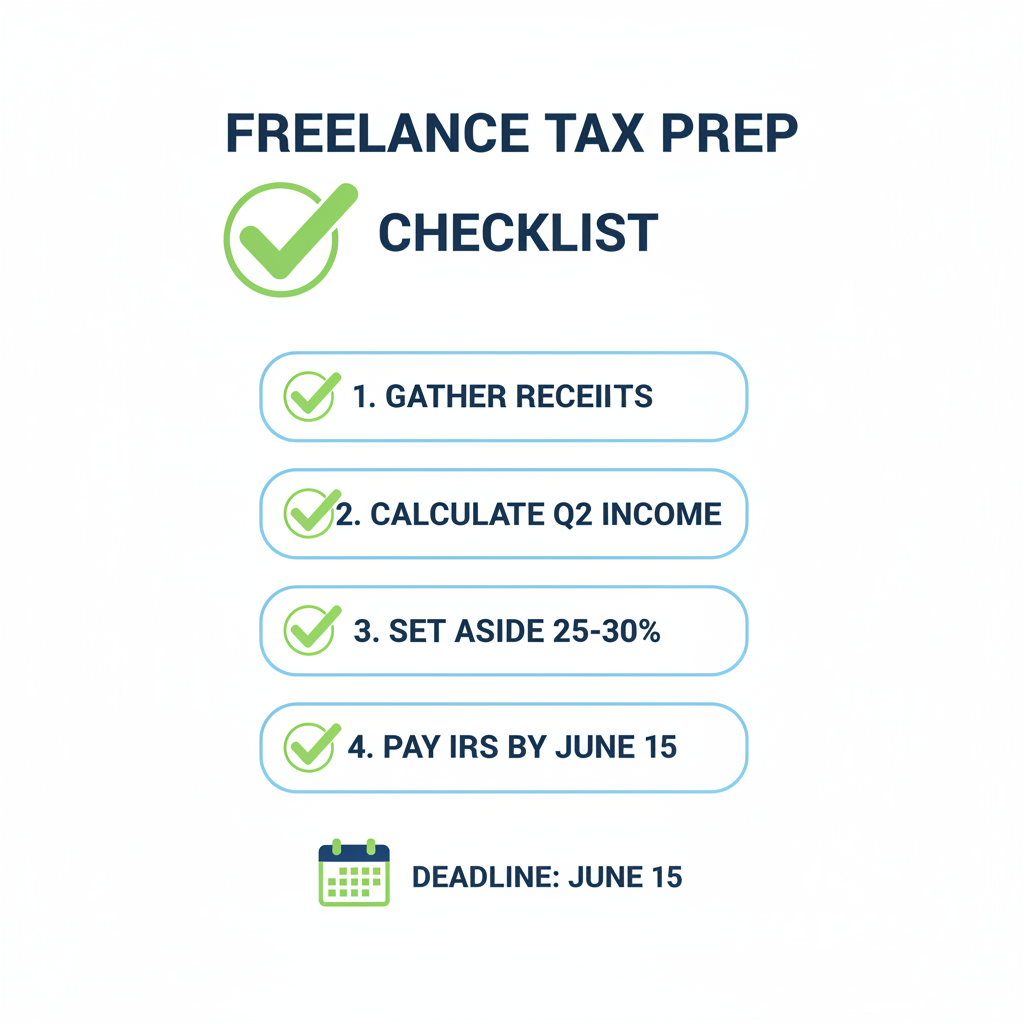
Let’s make this weekend count. Here’s your Sunday action plan.
Why June 15 Matters for Freelancers
The IRS requires self-employed individuals and freelancers to pay taxes quarterly — not just once a year. For income earned between April 1 and May 31, 2026, your Q2 estimated payment is due on June 15, 2026. Miss it, and you could face an underpayment penalty that compounds until you file. According to the IRS estimated tax guidelines, most self-employed people need to pay if they expect to owe at least $1,000 in federal taxes for the year.
The penalty isn’t enormous, but it’s avoidable — and with 29 days on the clock, you have more than enough runway to get ahead of it this weekend.
Step 1: Pull Together Your Q2 Income (Do This Now — 30 Minutes)
Your most important task today is knowing how much you actually earned from April 1 through May 17. Open your bank statements, invoices, PayPal, Venmo Business, Stripe, or whatever platform your clients pay you through, and tally up every dollar that came in during Q2 so far.
Don’t forget:
- Direct client payments
- Marketplace payouts (Upwork, Fiverr, Toptal)
- Digital product sales
- Consulting retainers
- Referral bonuses or affiliate income
Even if you use accounting software, a quick manual gut-check this weekend prevents nasty surprises. If your income has been variable, be conservative — it’s better to slightly overpay Q2 and get a credit toward Q3 than to underpay and owe a penalty.
Step 2: Scan and Organize Your Business Receipts (Sunday Afternoon — 45 Minutes)
This is the part most freelancers dread: the receipt pile. But your tax liability is reduced by every legitimate business expense you can document. Think about what you bought or paid for between April and May:
- Software subscriptions (Adobe, Notion, Figma, Zoom)
- Home office expenses (a portion of rent/utilities if you work from home)
- Professional development courses or books
- Contractor or subcontractor payments
- Equipment — laptop accessories, microphone, webcam
- Client meals (50% deductible)
- Transportation to client sites
The fastest way to handle this: use a receipt-scanning app to photograph every paper receipt and auto-categorize them. Apps like BudgetX let you scan receipts in seconds and automatically extract the vendor, date, and amount — no manual data entry, no lost paper trails. Spending 45 minutes on this Sunday could cut your tax bill meaningfully.
Step 3: Calculate Your Estimated Q2 Tax Payment (30 Minutes)
Here’s a simple freelancer formula for estimating what you owe:
- Net Q2 income = Gross Q2 income − Business expenses
- Self-employment tax = Net income × 15.3% (covers Social Security + Medicare)
- Federal income tax estimate = Net income × your marginal rate (22–24% for most freelancers)
- Total estimated Q2 payment = Self-employment tax + Federal income tax estimate
A rough rule of thumb: set aside 25–30% of every freelance dollar. If you’ve been doing that, you’re likely in good shape. If you haven’t, now is the time to look honestly at what you owe before June 15 sneaks up on you.
For more precise calculations, the IRS provides Form 1040-ES with worksheets and instructions specifically designed for estimated tax calculations.
Step 4: Set Up Your Payment (Tonight or Monday — 15 Minutes)
Once you know your estimated amount, setting up the actual payment takes less than 15 minutes. The IRS’s free tool, IRS Direct Pay, lets you schedule an electronic payment directly from your bank account at no cost. You can schedule the payment today for June 15 and not think about it again.
If you prefer, you can also mail a check with Form 1040-ES. But scheduling online this weekend means it’s done — off your plate, not a lingering to-do item for the next 29 days.
Step 5: Build Your Q3 System Right Now (30 Minutes This Weekend)
Here’s the real win of doing your taxes this Sunday: you have the mental momentum to build a better system before Q3 even starts. June 15 covers income through May 31 — but Q3 (June 1–August 31) ends before you know it, with a September 15 deadline.
Use the rest of your weekend to:
- Set a recurring calendar reminder to scan receipts every Friday
- Create a simple “business expenses” folder in your email
- Link your main business bank account to a tracking app
- Set up automatic transfers: every time a client pays you, transfer 28% to a separate “tax savings” account immediately
The freelancers who never stress about estimated taxes aren’t smarter — they just built systems. This Sunday is the perfect time to become one of them.
Your 29-Day Countdown Checklist
- ✅ Today (May 17): Tally Q2 income + scan receipts
- ✅ This week (May 18–23): Calculate estimated payment using IRS worksheet
- ✅ Next weekend (May 24–25): Finalize expense deductions
- ✅ June 1–7: Schedule payment via IRS Direct Pay
- ✅ June 15: Payment due — you’re already done ✓
Make Receipt Tracking Effortless
The single biggest pain point for freelancers at tax time is missing receipts and incomplete records. Every dollar in legitimate business expenses you can’t document is money left on the table. BudgetX makes it easy — scan any receipt in seconds, and the app automatically extracts the amount, vendor, date, and category. No more shoeboxes, no more squinting at faded paper.
Start this Sunday. By June 15, you’ll have a clean, organized record of every Q2 expense — and a tax bill that reflects it.
Ready to take control of your freelance taxes?
Scan your Q2 receipts right now and be June 15-ready in minutes.
Download BudgetX free — available on iOS and Android.