
Not because it’s exciting.
Because it’s expensive when you ignore them.
Every deductible expense you forget is money you don’t recover.
Every missing receipt is documentation you may need later.
This page isn’t here to sell you hype.
It’s here to show you how modern receipt tracking actually works — and whether it’s something you need.
It’s not laziness.

It’s not laziness.
It’s friction.
- Receipts pile up in wallets
- Email confirmations get buried
- Bank statements don’t show purchase details clearly
- Spreadsheets require manual entry
Manual systems fail because they rely on memory.
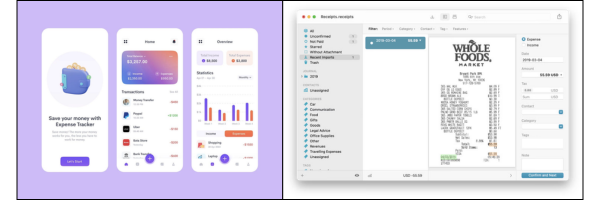
Based on the app’s Google Play preview screenshots, here’s what the system appears to handle:
1. Receipt Capture
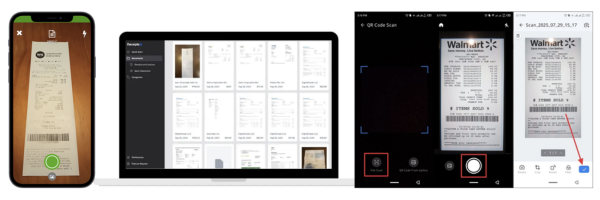
You scan a physical receipt using your phone’s camera.
The app uses OCR (optical character recognition) to extract:
- Merchant name
- Date
- Amount
- Line items (if supported)
No typing required.
2. Automatic Categorization
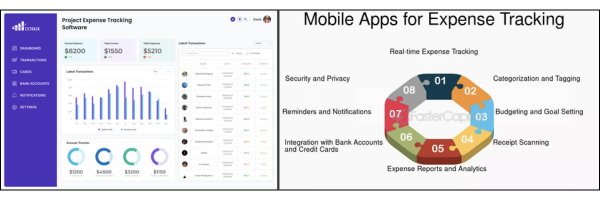
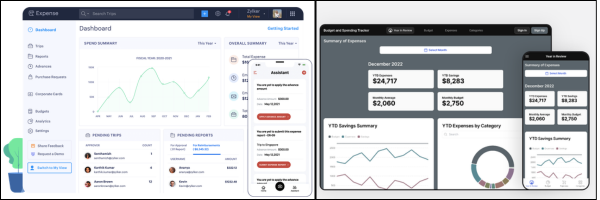
From the preview screens, expenses are grouped into categories like:
- Meals
- Travel
- Office supplies
- Utilities
- Subscriptions
This matters because tax deductions depend on proper classification.
3. Search & History
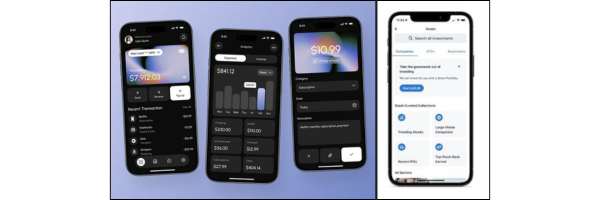
Instead of digging through email or paper folders, users can:
- Search by vendor name
- Filter by date
- Review past expenses instantly
That reduces audit anxiety and CPA back-and-forth.

You don’t need this if:
- You have no deductible expenses
- You don’t file business taxes
- You enjoy manual spreadsheets
You probably do need it if you:
- Freelance or consult
- Own a small business
- Drive for Uber/Lyft
- Sell on Etsy/Amazon
- Have a side hustle
- Track mileage or travel
The more transactions you have, the more fragile manual tracking becomes.
Most people don’t overspend intentionally.
They just don’t see:
- Subscription creep
- Duplicate charges
- Category imbalances
- Rising monthly vendor costs
When expenses are searchable and categorized, patterns become obvious.
That’s when better decisions happen.

Instead of telling you “download now,” here’s what to check:
- Does it auto-categorize accurately?
- Can you export reports for taxes?
- Is data backed up in the cloud?
- Is it easy to search transactions?
- Does it reduce manual entry by 80%+?
If the answer to those is yes, the app is likely worth testing.

Not to convince you.
But to help you decide whether your current system is sustainable.
If your expense tracking depends on:
- Memory
- Sticky notes
- Inbox searches
- “I’ll do it later”
Then it’s already fragile.
If you prefer structured visibility and automation, tools like this exist for that reason.
Explore it. Compare it. Test it.
Just don’t wait until tax season to think about receipts.

The Real Question Isn’t “Should You Download This?”
It’s:
Is your current system reliable?
If your expense tracking works consistently, produces clean reports, and doesn’t stress you out, keep it.
If it depends on memory, scattered emails, and catching up “later,” then it may be time to explore alternatives – trying BudgetX’s AI Receipt Scanner app: https://onelink.to/sadhgd
You don’t need something complicated.
You need something sustainable.
Take a few minutes. Look at the app preview. Compare it to how you currently manage receipts.
Whether that’s this app or another structured method, don’t leave it unresolved.